
抱歉,您的浏览器无法访问本站
本页面需要浏览器支持(启用)JavaScript
了解详情 >

新建本地仓库

  1. 进入需要被创建为仓库的文件夹,打开cmd或者终端输入命令.即可将文件夹变为可管理的仓库
1
git init

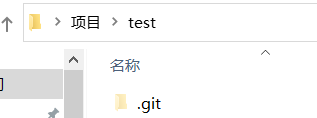
这时会生成.git文件夹
Github上传本地仓库git文件夹
2. 这时候在文件夹里创建或者复制文件,打开终端输入命令即可将文件版本管理

1
git add .

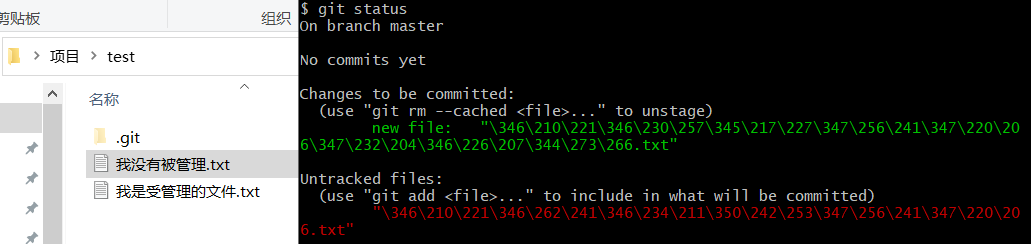
再输入命令查看文件是否成功添加

1
git status

Github上传本地仓库文件被管理
3. 上一步已经将文件管理,但是并没有记录文件修改.使用下面的命令将仓库进行一次本地推送来进行记录

1
git commit -m "提交备注"

自此本地仓库已经创建完成

推送至远程仓库

  1. 在推送前需要先登录Github,具体教程参考百度其它教程.这里记录最主要的一步

    需先登录github账户且配置好用户名和邮箱

因为github官方没有用于创建原创仓库的命令,所以需要借助其API,因此应该获得github账户的token,权限为repogist

点击这里创建token

本地设置token

1
git config --global github.token <token>

2. 打开git bash终端修改~/.bash_profile文件添加如下代码

1
2
3
4
5
6
7
8
9
10
11
12
13
14
15
16
17
18
19
20
21
22
23
24
25
26
27
28
29
30
31
32
33
34
35
36
37
38
39
ghc() 
{
invalid_credentials=0
repo_name=$1
dir_name=`basename $(pwd)`

if [ "$repo_name" = "" ]; then
echo "Repo name (hit enter to use '$dir_name')?"
read repo_name
fi

if [ "$repo_name" = "" ]; then
repo_name=$dir_name
fi

username=`git config github.user`
if [ "$username" = "" ]; then
echo "Could not find username, run 'git config --global github.user <username>'"
invalid_credentials=1
fi

token=`git config github.token`
if [ "$token" = "" ]; then
echo "Could not find token, run 'git config --global github.token <token>'"
invalid_credentials=1
fi
if [ "$invalid_credentials" = 1 ]; then
echo "fix error and try again"
return 1
fi
echo -n "Creating Github repository '$repo_name' ..."
curl -u "$username:$token" https://api.github.com/user/repos -d '{"name":"'$repo_name'"}' /dev/null 2>&1
echo " done."

echo -n "Pushing local code to remote ..."
git remote add origin [email protected]:$username/$repo_name.git # > /dev/null 2>&1
git push -u origin master #> /dev/null 2>&1
echo " done."
}

将写好的脚本保存后再执行

1
source ~/.bash_profile
  1. 执行脚本
    在你的工程目录中使用git bash执行ghc [repo name]默认仓库名为当前目录名,也可以手动输入
  2. 连接到远程仓库
    生成主分支
1
git branch -M main

连接到远程仓库

1
git remote add origin [email protected]:用户名/仓库名.git

推送到远程仓库

1
git push -u origin main

常见报错

  1. error: remote origin already exists.
    输入git remote -v是否已经存在远程仓库
    输入git remote rm origin删除关联

评论


站点访问量 Loading… 站点访客数 Loading…